
As technical training continues to expand across the globe, accessibility has never been more important. Learners come from diverse backgrounds, speak a wide range of languages, and have different levels of comfort with English based training environments.
At XtremeLabs, this is not just a challenge. It is an opportunity to make learning more inclusive, more effective, and more impactful.
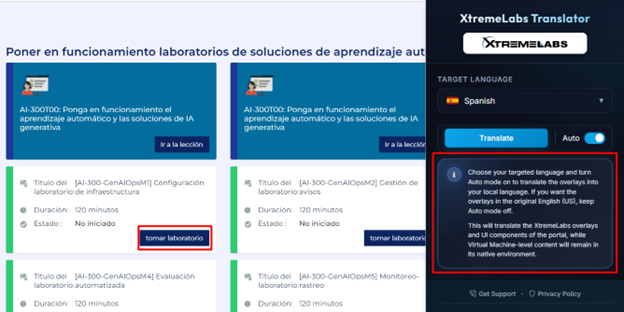
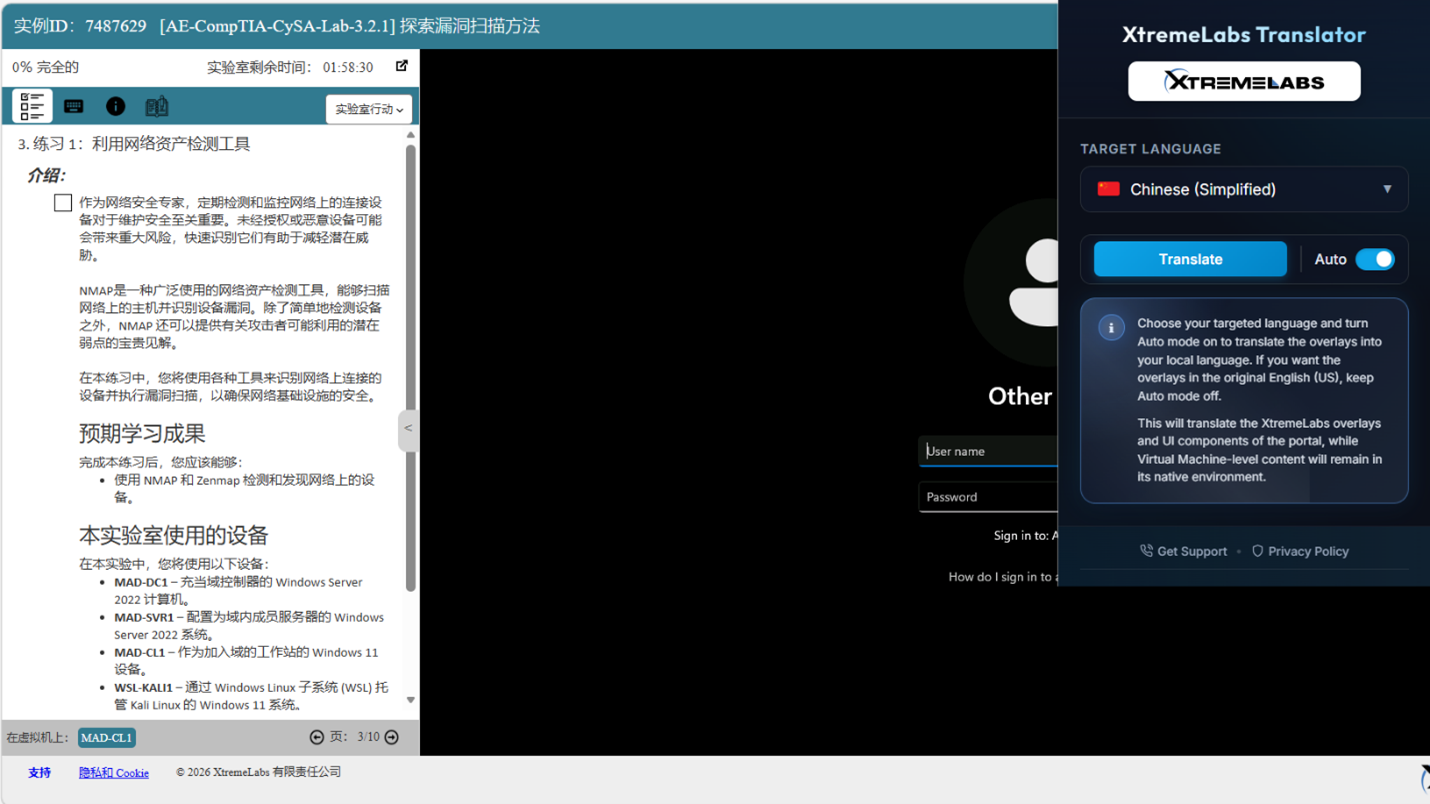
That is why we introduced the XtremeLabs Translator, a browser extension designed to remove language friction directly within the learning experience. It translates XtremeLabs portal overlays and user interface components in real time, allowing learners to stay focused, confident, and fully engaged in their labs.
Stay Focused with Real-Time, In-Platform Translation
Switching between tools or relying on external translators can interrupt the learning process. The XtremeLabs Translator eliminates this disruption by working directly inside the platform.
Key interface elements such as navigation, overlays, and user interface components are translated instantly within the browser. Learners can continue progressing through their labs without losing focus or momentum.
With two flexible modes, learners remain in control of their experience:
- Auto Mode provides continuous translation as users move through the platform
- Manual Translate allows for quick, on demand translation with a single click
This flexibility ensures that learners can choose how and when translations are applied, creating a smoother and more immersive experience where language no longer slows progress.
Built for a Global Audience
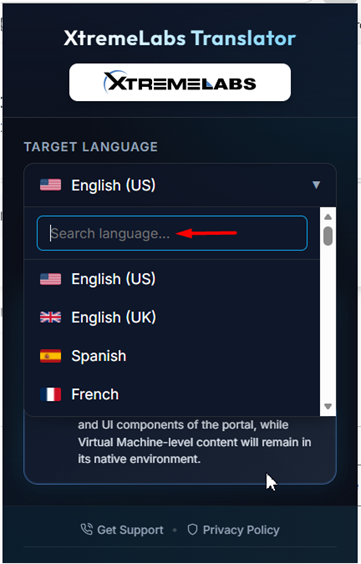
With support for 46 languages, the XtremeLabs Translator enables organizations to deliver training at scale without language becoming a barrier.
Learners can easily select their preferred language through a searchable dropdown with flags and personalize their experience by saving their preferences, enabling automatic translation, and syncing their settings across Chrome and Microsoft Edge.
This creates a consistent experience every time they log in, with no need for repeated setup and no added friction.
Clear, Transparent Experience
Great tools set clear expectations, and the XtremeLabs Translator is designed with that principle in mind.
The extension focuses on portal level translation, making the platform interface easier to understand while preserving the integrity of the lab environments. Virtual Machine content remains unchanged because it operates outside of the browser.
This approach ensures learners know exactly what is translated. It removes uncertainty and creates a consistent, predictable experience from start to finish.
Performance You Can Rely On
This update is not only about adding features. It is about delivering a stronger, more reliable experience.
We have resolved key usability challenges, including interface cutoffs around important actions such as Take Lab and formatting inconsistencies in reading based labs.
Translated content now fits naturally within the interface, maintaining structure and readability. Combined with improvements behind the scenes, the extension runs smoothly and supports a seamless learning experience without affecting platform performance.
Making Hands-On Learning More Accessible
For training providers and organizations, accessibility is more than a feature. It is a meaningful advantage.
The XtremeLabs Translator enables you to expand your reach, engage a broader global audience, and support stronger comprehension across diverse learner groups. It helps create more inclusive and impactful training experiences that resonate with learners at every level.
By reducing language barriers, learners can focus on what truly matters, building real world skills through hands on practice.
Get Started
You can explore the XtremeLabs Translator extension and install it directly from the Chrome Web Store: